


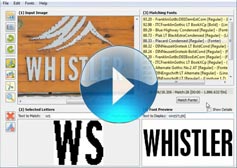
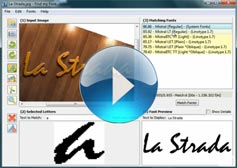
• Identify any Font, anywhere

    Find my Font is a simple yet powerful application for identifying the fonts in any digital image.
    Now it Identifies over 1 Million Fonts!
  • 1

Find fonts in images

Find my Font is a software application that runs on your device (PC or mobile) and identifies fonts used in images.

Find My Font makes it easy to find font in image files on your PC or mobile device. Upload an image and let the software quickly identify the font used, saving you hours of manual searching.
With advanced font recognition technology, Find My Font analyzes your image and delivers results in seconds. You’ll see the exact font match along with a list of similar fonts that closely resemble the original design.
The PC edition goes even further by searching both online font databases and the fonts installed on your computer, giving you the most accurate results when you need to find font in image files for design, branding, or typography projects.

Powerful Features

Incredibly useful and functional features allow you to identify fonts even in the most complex images

local online font match

Online and On Your Computer

Find my Font searches our massive online font database, covering both Commercial and Free fonts. The PC edition goes even further by scanning all fonts on your computer—installed or not. It can identify any font, whether you already have it or not.

fast font matching

Lightning-Fast Matching

We’ve invested heavily in optimizing font matching performance. The latest version delivers unprecedented speed, returning a list of exact matches and close alternatives in just a couple of seconds.
 

Similar Fonts

Similar Fonts

Find my Font doesn’t stop at exact matches. It also identifies visually similar fonts, helping you discover typefaces that look like your sample—or find free alternatives to premium fonts..

See for yourself

Introduction to Font Identification

advanced font identification video
Advanced font identification video

The Layouts panel in the Chimera template administration interface provides several options for configuring the layout of the template. Each modular section of the template design offers six module positions by default.

Note: If no modules are published to a position, the entire area or row will not appear or collapse.

Header

A B C D E F

Slideshow

TopFullWidth

Drawer

Top

A B C D E F

Showcase

A B C D E F

Breadcrumb

Feature

A B C D E F

Utility

A B C D E F

ExpandedTop

A B C D E F

MainTop

A B C D E F

Content Top

A B C

Mainbody

Content Bottom

A B C

Sidebar

A B C

MainBottom

A B C D E F

ExpandedBottom

A B C D E F

FullWidth

Extension

A B C D E F

Bottom

A B C D E F

Footer

A B C D E F

Copyright

A B C D E F

Debug

Analytics


Documentation: Gantry Framework Layouts

1+ Million Fonts

The Find my Font application identifies over 1 Million fonts in images.

What our customers say

  • "Identify fonts in a couple of seconds"

    "With a library of over 20,000 fonts, sometimes it took hours to find the exact font needed for a project.
    With Find My Font we identify fonts in images in a couple of seconds and spend the rest of the time creatively. It has become an invaluable tool to the team."

    Derek Anderson  -  Freelance Art Department, Inc., MT
  • "Find my font attracts users with its simplicity"

    "If you are looking for the tool to identify fonts in any digital image in a matter of seconds, Find my Font is a perfect option."  read more...

    Eva Williams  -  software journalist for fixthephoto.com
  • "Your software is a requirement"

    "I would definitely recommend you to true professional creatives. Your software is not a a simple need, it is a requirement for a successful output in short term periods! "

    Diko J.  -  on Find my Font support forum
  • "It's been a huge time saver"

    "Find My Font has been a huge time saver and is well worth the cost. I would highly recommend this product to any studio or individual designer to make their work more profitable and save valuable time.We have tried many other web solutions but none come close to the power of Find my Font"

    Martin McDouglas
  • "Highly recommended"

    "Considering the time and effort I wasted on looking for the right font, this product is a steal. I highly recommend it to all professional designers out there."

    James Walt  -  Araxi Design Studio
  • "Gives me free alternatives"

    "I love your product because it not only identifies fonts but is also provides me with a list of free alternative ones. What more can I ask for?"

    Tina P. -  Signmaker, IL
  • 1
  • 2
  • 3
  • 4
  • 5
  • 6

Still thinking about it?
Try before you buy!

Give Find my Font a try. We're sure you'll love it. Find my Font is supplied in three editions. A free mobile edition and a free trial (30 days) and a Pro (commercial) edition for your PC.

  • Free

    Try it out now.
    You'll love it!
    $ 0 Low Online Match Priority 30 Days Usage Period Up to 900 fonts searched on your PC Up to 2 local fontsets
  • Pro

    Unlimited power for professionals
    $ 49 High Online Match Priority Unlimited Usage Period Unlimited fonts searched on your PC Unlimited local fontsets
  • Mobile

    Work or Play
    Take the fun with you!
    $ 0 High Online Match Priority Unlimited Usage Period Available for iOS and Adroid devices Use the camera or gallery
  • 1

Learn More About Find my Font

Get more information about this application, its features, and discover all the ways that it can help you with your future projects.


FmF Ajax Search